Valentines Day Heart Swirls Flourish: A Practical Design Resource for Romantic Projects
Whether you’re preparing a Valentine’s Day campaign, designing a wedding invitation suite, or adding a refined touch to a greeting card, the right decorative elements can save hours of manual drawing. The Valentines Day Heart Swirls Flourish set provides precisely that: a collection of vector swirls, calligraphic hearts, and filigree curves that bring a romantic, hand-lettered feel to any project. Understanding how to integrate these assets into your workflow—from preparation through final export—ensures you get maximum value from the files without rework.
What This Asset Set Actually Contains
The package includes four file formats: EPS, SVG, JPG, and high-resolution PNG. Each format serves a different purpose in a typical design process. The EPS file is ideal for professional vector editing software such as Adobe Illustrator or CorelDRAW, allowing full editing of paths and colors. The SVG file offers a web-friendly vector option that works in tools like Figma, Inkscape, or directly in HTML/CSS. The JPG and PNG files are raster previews or ready-to-use elements for applications where transparent backgrounds are not needed (JPG) or where a transparent background is required (PNG).
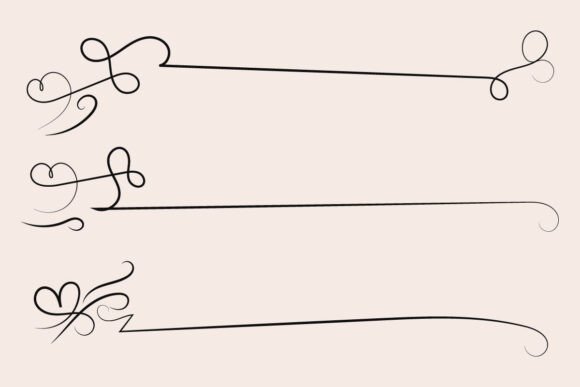
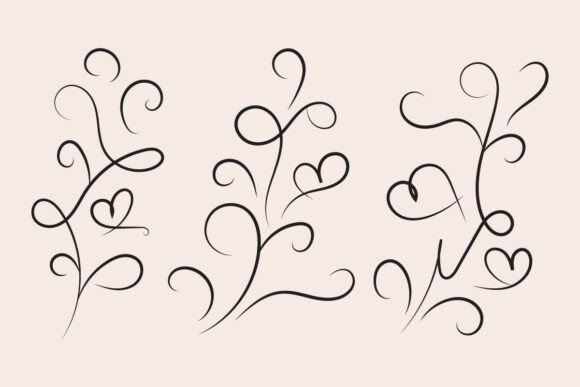
The core designs include filigree curly calligraphic hearts, fancy line flourishes, and curve romantic love swirls. Rather than generic clip art, these are stylized decorative lines that can function as borders, headers, dividers, or standalone embellishments. The calligraphy-inspired strokes make them suitable for projects that require an elegant, handcrafted aesthetic without hiring a lettering artist.
Where Heart Swirls Flourish Fits in Your Workflow
This resource is most effective when introduced at one of three stages: early concept development, mid-production refinement, or final polish. Understanding each scenario helps you decide how to deploy the files efficiently.
Early Concept Development
During brainstorming, you might sketch layouts for a Valentine’s Day social media series or a printed invitation. Instead of spending time hand-drawing swirls, you can drop a few SVG files into a wireframe to see how romantic ornamentation affects visual balance. This accelerates iteration because you can test different scale and rotation combinations in seconds. The EPS file is also useful here: you can open it in Illustrator, adjust stroke weights, and experiment with color variations before committing to a final design direction.
Mid-Production Refinement
When your layout is 70% complete, adding flourishes around text headers or framing a central heart can elevate the composition. The SVG file is particularly handy because you can import it directly into a web design tool or print layout without converting formats. For example, if you are building a Valentine’s Day landing page, you can place a flourish SVG as an inline element and animate it with CSS for subtle motion. In a print workflow, the EPS file gives you editable curves so you can customize the length of a swirl to fit your canvas exactly.
Final Polish and Output
After all content is placed, the high-resolution PNG files can be used as overlays or textures. Because they come with transparent backgrounds, they layer seamlessly over photos or gradients. The JPG files are useful for quick mockups where file size matters—like sending a draft to a client for approval. At this stage, you might also use the EPS to create a tinted version of a heart swirl and place it as a watermark behind text.
File Formats and Preparation: What to Know Before You Start
Having four formats gives you flexibility, but each requires specific preparation. To avoid frustration, review these points before opening any file.
- EPS: This is a PostScript-based vector format. Most modern vector editors open it natively, but if you’re using an older version of software, you may need to convert it. Always save a working copy as AI or SVG after editing. Check that fonts (if any) are outlined; the swirls themselves are path-based, so no font issues arise.
- SVG: Confirm your SVG editor supports all features. Some free tools strip out grouped objects, which can break the layering of complex flourishes. Open the SVG in a code editor if you need to tweak attributes like
fillmanually. This format is perfect for responsive web projects because it scales crisply at any size. - PNG: The high-resolution PNG likely comes at 300 DPI or higher. Check the dimensions before dropping it into a layout—if it’s 6000 pixels wide, it may be overkill for a small card. You can downscale without quality loss, but avoid upscaling beyond 120% to keep edges sharp.
- JPG: Since JPG does not support transparency, use it only for backgrounds or where the white background suits your design. If you plan to overlay the swirl on a colored field, stick with PNG or vector formats.
For Greeting Cards and Invitations
Place a large calligraphic heart swirl as the central focal point, then layer text inside or around it. Because the flourishes are curvy, they guide the eye naturally. Use the SVG to create a repeating border around the card edge by duplicating and rotating the same element. In a print app like Adobe InDesign, import the EPS and adjust stroke color to match your Pantone swatch. For digital cards, use the PNG with a soft opacity blend mode over a pastel background.
For T-Shirt and Merchandise Design
Vector files are essential here. Open the EPS in Illustrator, ungroup the paths, and delete any unwanted sections. For a one-color print, convert all strokes to outlines and merge them into a solid shape. The flourish can frame a central text phrase like “Love You” or “Be Mine.” Because the design is intricate, test the line thickness at your intended print size—if lines are too thin, they may disappear on fabric. You can easily thicken strokes in the vector editor.
For Social Media Graphics and Banners
SVG is your best friend for web use. Embed it directly into an HTML email or website banner. Pair the flourishes with modern sans-serif fonts to create contrast between the ornate swirls and clean typography. For a cohesive set of posts, create a template with one flourish positioned in the corner and rotate that element for each new graphic. The PNG with transparency can be placed over photos in Canva or Photoshop without extra masking.
For DIY and Personal Projects
If you’re not a professional designer, the JPG or PNG files are easiest to use. Open them in any image editor, add a logo or name in the center, and print at home. Because the files are high resolution, they hold up well on 8.5 x 11 inch paper. You can also cut out the heart swirls with a digital cutter (like Cricut) if you convert the SVG appropriately—verify that the software accepts the file format.
Organization and Long-Term Use
Once you purchase the Valentines Day Heart Swirls Flourish set, treat it as a reusable library. Create a dedicated folder on your cloud storage or local drive labeled Ornamental Vectors. Inside, save each file with descriptive names like “heart-swirl-floral.eps” or “filigree-curve.svg.” Tag the set in digital asset management software if you have many similar resources. Over time, you may reuse these swirls for anniversaries, Mother’s Day, bridal showers, or any project needing elegant lines. Because the files are fully editable, you can recolor them to match seasonal palettes or tweak the curvature to fit different layouts.
Consistency matters: when you use the same swirl style across multiple projects (e.g., a brand’s Valentine’s series and its wedding planning service), it builds visual recognition. Just change the color to align with each brand’s guidelines. The EPS and SVG formats make global color changes trivial—select all, adjust fill or stroke, and you’re done.
Compatibility with Other Tools, Assets, and Methods
This set works well with other romantic design elements, such as vintage frames, watercolor textures, or script fonts. The curvy, flowing nature of the flourishes complements organic textures without clashing. If you pair the heart swirls with geometric shapes, the contrast can be striking but should be used sparingly—too many opposing styles compete for attention.
Regarding software compatibility, the EPS file is universally supported in professional vector editors. The SVG opens in web-focused tools like Sketch, Figma, and even in browsers for inline use. Keep in mind that some free vector viewers may misinterpret complex curves; always test the SVG in the environment where it will be used. For mobile apps like Procreate, import the PNG as a brush stamp or layer. The JPEG can be printed directly.
Collaborative Workflows
If you work with a team, share the SVG or EPS files through a version-controlled platform like GitHub or a shared library. Because vectors are text-based when stored as SVG, tracking changes is straightforward. A copywriter can provide feedback on placement without needing design software—just send them a PNG mockup. This separation of concerns speeds up approvals and reduces confusion.
Quality Control and Final Checks
Before using the flourish in a final product, inspect the paths for any stray anchor points or gaps. Open the EPS in your editor, zoom to 400%, and scroll along the curves. Look for sudden direction changes that might look jagged at larger scales. If you find any, use the smooth tool or adjust handlebars. Also verify that the transparency in the PNG is actually pure transparency, not a white channel. Open the PNG in a program that shows a checkerboard background to confirm. Lastly, test color changes on a duplicate of the file—never alter the original. Keep a master copy untouched so you can revert if needed.
Adapting the Set for Different Audiences
The same heart swirls can read as romantic, elegant, or even whimsical depending on color and scale. For a luxury brand, scale the flourish to 80% of the canvas and use a dark maroon stroke on ivory paper. For a children’s Valentine’s party, use the same SVG but filled with pastel pink and set at 120% with a playful font inside. The flexibility stems from the non-specific nature of the curved lines—they don’t contain overt heart shapes unless you choose those specific assets from the set. The calligraphic strokes themselves feel handwritten, which adds a human touch in an increasingly digital world.
Why This Resource Matters for Professionals and Hobbyists Alike
Time is the most constrained resource in creative work. Having a ready-to-use set of high-quality, editable swirls means you can skip the tedious step of drawing ornate curves by hand. Whether you’re a solo entrepreneur crafting Valentine’s Day marketing materials, a graphic designer building a wedding invitation suite, or a hobbyist making custom gifts, the four-file format removes technical barriers. You don’t need to own expensive software beyond what you already use—the JPEG and PNG work in virtually any image viewer. The vector formats future-proof your work because you can rescale for billboards or business cards without degradation.
Incorporating Valentines Day Heart Swirls Flourish into your routine becomes natural after one or two projects. You’ll learn which format to grab first based on the medium. Over time, you’ll build an instinct for placement, rotation, and pairing with typography. The result is consistent, professional-looking romantic designs that feel intentional rather than rushed.